Best KVM Switch for Multiple Computers How to Choose?
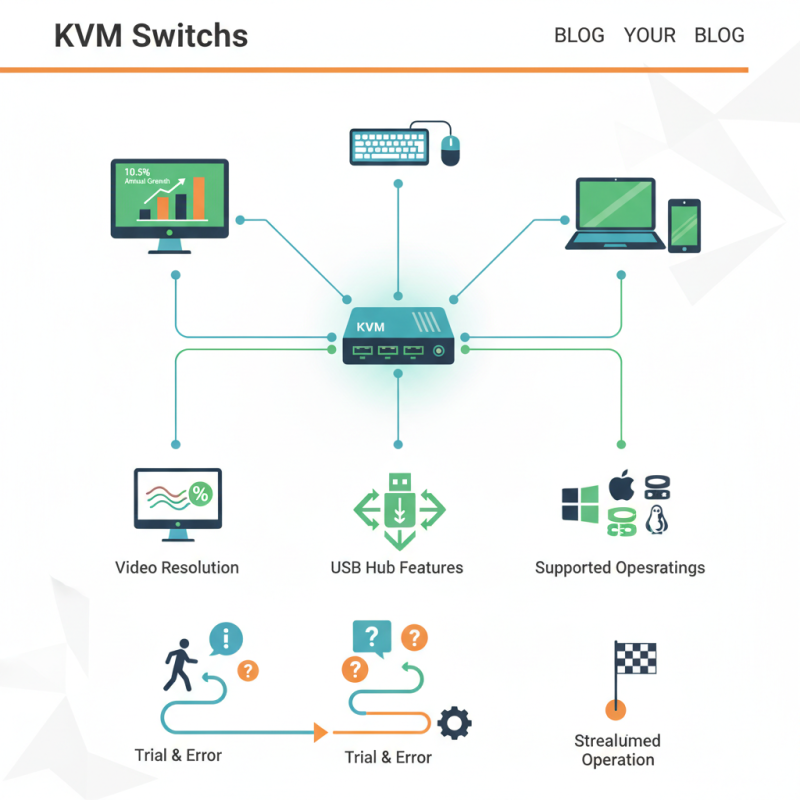
In today’s digital landscape, efficient workspace management is vital. The demand for KVM Switches has surged, with industry reports indicating a market growth of 10.5% annually. This statistic illustrates how essential these devices are for managing multiple computers seamlessly. A KVM Switch allows users to control several systems from a single keyboard, mouse, and monitor.
Selecting the right KVM Switch can be daunting, given the wide variety of options. Not all switches offer the same capabilities or compatibility. Users often overlook critical factors such as video resolution, USB hub features, and supported operating systems. Ignoring these aspects can lead to poor performance and frustration. Many users share their struggles with compatibility and performance issues, leading to a reflection on their choices.
When considering a KVM Switch, understanding individual needs is crucial. Some may prioritize speed and resolution, while others might require specific connectivity options. Educating oneself about available models can greatly enhance productivity and user experience. Choosing wisely can transform your multiple-system setup into a streamlined operation, but the journey often involves trial and error.
Understanding KVM Switches: Definitions and Functions
KVM switches are essential tools for managing multiple computers from a single set of peripherals. They allow users to control several devices, reducing clutter and enhancing efficiency. Each KVM switch functions by connecting keyboards, mice, and monitors to multiple computers. Users can switch between systems with ease, often with a simple button press.
Understanding the technical aspects of KVM switches is vital when choosing the right one. They come in various types, including basic models for simple setups and advanced ones that support high-definition video and multiple users. While many KVM switches perform well, some may struggle with specific resolutions or input devices. Users should consider their individual needs, such as the number of computers and the type of tasks they will perform.
It's crucial to thoroughly evaluate your specific use case before making a purchase. Some KVM switches might have issues with compatibility or lag. Real user experiences can provide insight into functionality under real-world conditions. Investigating reviews can lead to a more informed decision.
Key Features to Consider When Choosing a KVM Switch
When selecting a KVM switch for multiple computers, several key features demand consideration. The number of ports is crucial; a switch with at least four ports can accommodate multiple devices efficiently. According to industry reports, the global KVM switch market is projected to grow by 8.4% annually. This trend underscores the increasing reliance on efficient computing solutions.
Additionally, video support is essential. Look for switches that can handle high-resolution displays, such as 4K. Real user reviews indicate issues with clarity in lower-quality switches. Another point to reflect on is whether to choose USB or PS/2 connections. USB is the preferred choice in modern setups, as nearly 89% of devices now use USB connections.
Switching speed is also important. A delay might hinder productivity. Choose a model with a seamless transition. Some users noted frustrating delays with certain models. Finally, ensure compatibility with your existing systems. Compatibility can be a source of confusion; manufacturers’ specifications might not always align with actual user experience. Assessing these factors will lead to a more informed decision when selecting a KVM switch.
Types of KVM Switches: USB, HDMI, and more
When selecting the best KVM switch, understanding the types available is crucial. The most common options include USB and HDMI switches. USB KVM switches allow you to connect peripherals like keyboards and mice. They often support multiple operating systems. An industry report shows this type remains popular for home offices due to flexibility and ease of use.
HDMI KVM switches, on the other hand, focus on video output. They support high-definition displays, making them ideal for graphic-intensive tasks. According to recent statistics, nearly 35% of professionals prefer HDMI for better visual quality. However, these switches can complicate setup due to various cables and compatibility issues.
Some users overlook the importance of compatibility. Not all KVM switches support every device seamlessly. This can lead to frustration when trying to connect newer monitors or laptops. Ensure you check specifications carefully before purchasing. Additionally, factors like switch speed and switching method can impact your overall experience. Investing time in research is essential to avoid the hassle of returns or subpar performance.
Best KVM Switch Types Comparison
Compatibility: Ensuring Your KVM Switch Works with Multiple Computers
When selecting a KVM switch for multiple computers, compatibility is key. Ensuring that the switch works seamlessly with all your devices can save you from significant headaches. Compatibility spans various factors, including operating systems, connection types, and video resolutions. Always check the specifications related to these aspects before making a purchase.
Consider the operating systems your computers run. A switch may support Windows, macOS, or Linux, but not all combinations work flawlessly together. Check if the KVM supports USB, HDMI, or DisplayPort connections. If your systems vary in their connection types, you need a versatile solution. Many switches handle more than one connection type, but you should verify compatibility explicitly.
It's also important to address video resolution. If you use high-resolution displays, ensure the KVM switch can handle your required resolution without performance issues. Misalignment can lead to poor display quality and frustration. Testing a switch with your specific setup can help iron out these concerns. Always refer to user reviews to gauge how well a product has performed for others in similar scenarios. This step adds to your decision-making process.
Setting Up Your KVM Switch: A Step-by-Step Guide
Setting up a KVM switch can streamline your workspace. It allows you to control multiple computers with one keyboard and mouse. The process may seem daunting, but following a step-by-step guide can simplify it. Begin by connecting your KVM switch to power and then link it to your computers via the appropriate cables. Ensure that each computer is turned off when making these connections. This can prevent any potential hardware issues.
Once the hardware setup is complete, power on your KVM switch. Your computers should automatically detect it. You may need to configure display settings, especially if using multiple monitors. Studies show that using a KVM switch can increase productivity by up to 40%. Users often appreciate the reduced clutter on their desks.
Tips: Use labels for your cables. This saves time when troubleshooting. Be aware that not all KVM switches are created equal. Consider factors such as supported resolutions and number of ports. Double-check compatibility with your equipment.
Lastly, keep your firmware up to date. Regular updates can enhance features and security. Some users overlook this aspect, which can lead to connectivity issues down the line. Always refer to the manufacturer's instructions for any troubleshooting steps. Your workspace efficiency depends on reliable equipment.